Overview
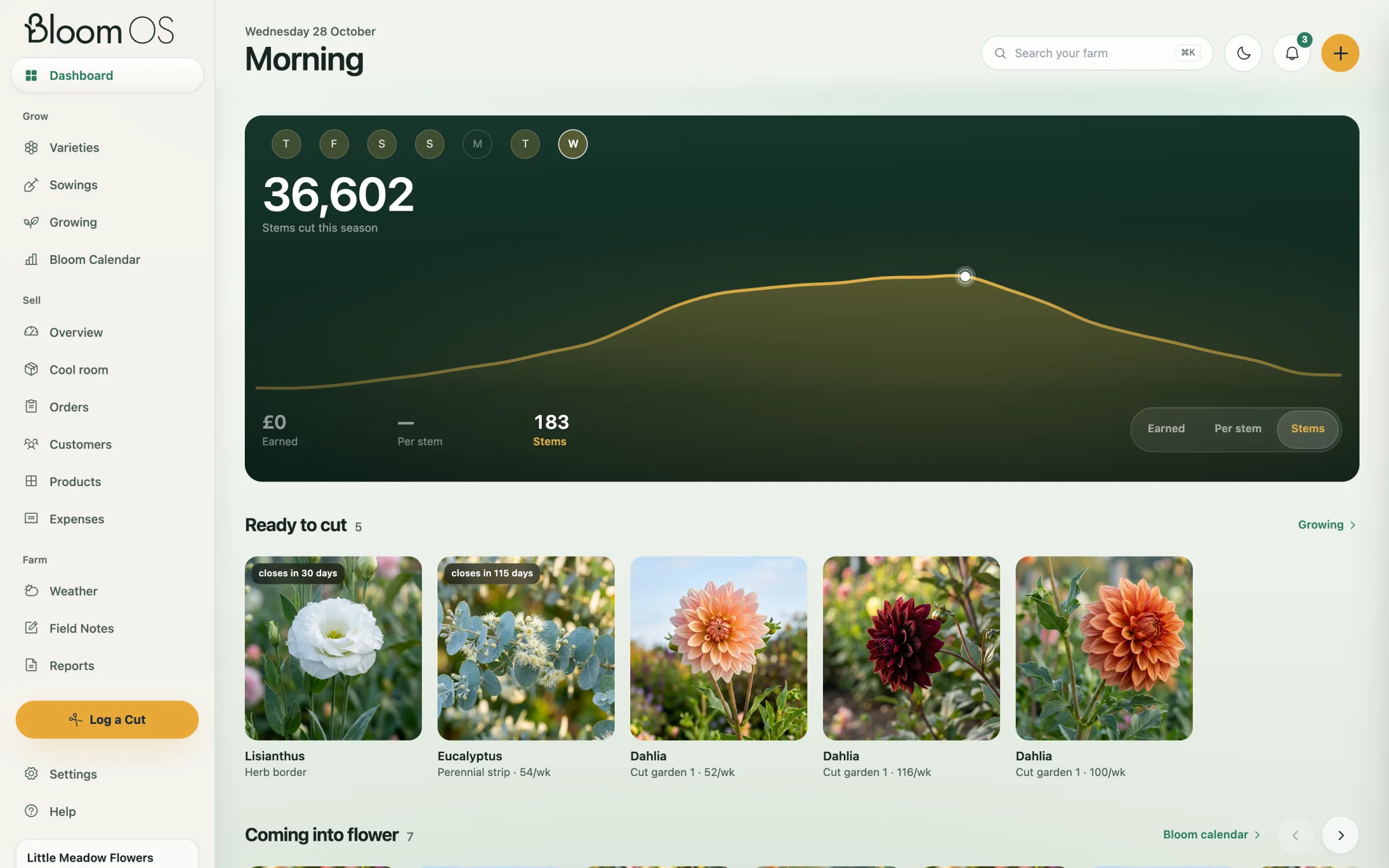
The season, in one curve.
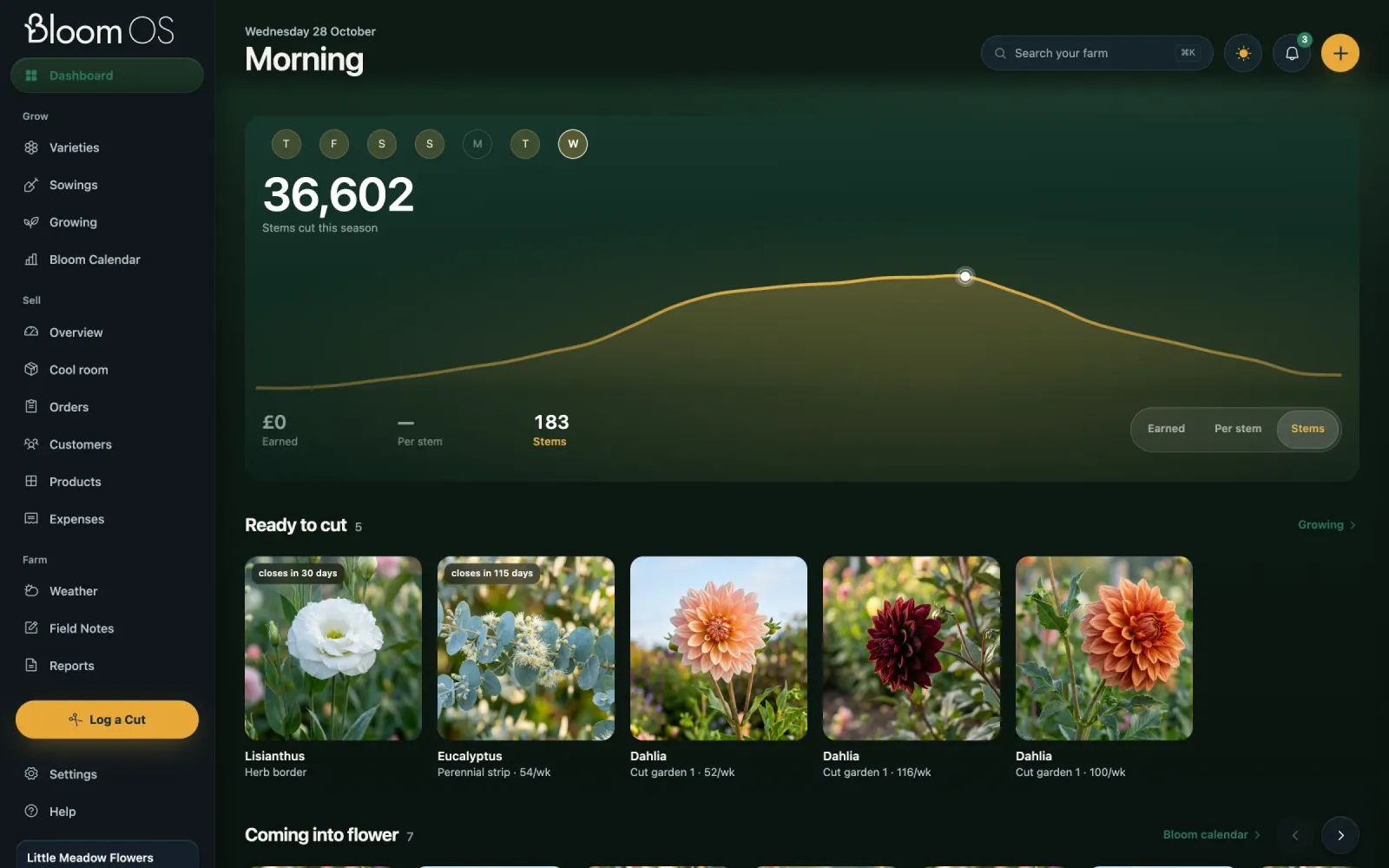
Stems cut this season, drawn week by week, with what they earned and what each stem made. Pick a day in the week strip, or switch the curve between stems, takings and price per stem.
Flower farm software, made for cut flowers
Free for every grower, no sign up
All calculatorsGuides from a working flower farm
The desktop app
Plan the season, draw the farm in 3D, put varieties in beds, then sell and see what paid. Everything you log on your phone, laid out for a proper screen.
Runs in your browser on a Mac or PC. Nothing to install.
Every morning
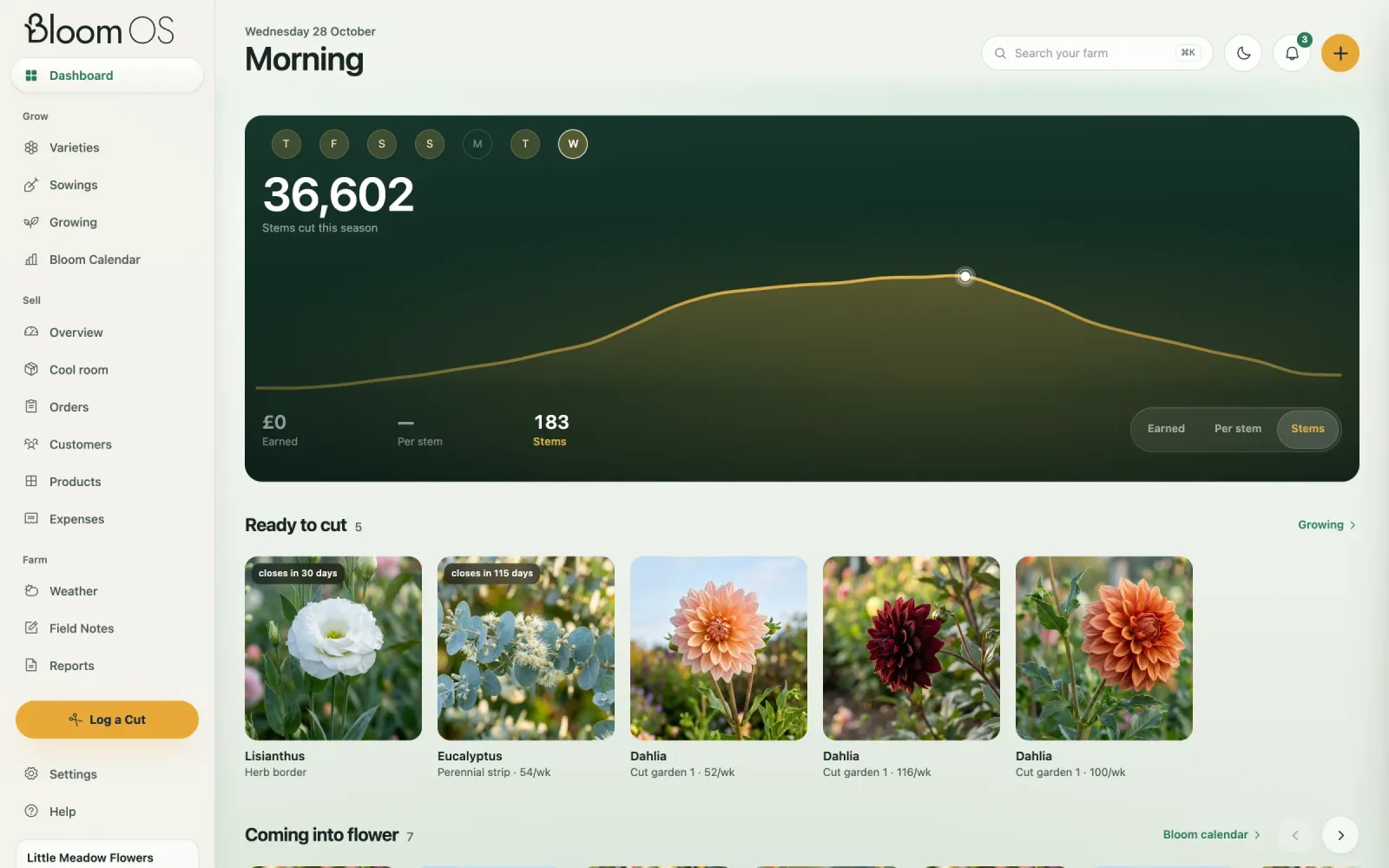
The Overview opens on the season so far, then what's ready, what's coming and ideas for next year.
Overview
Stems cut this season, drawn week by week, with what they earned and what each stem made. Pick a day in the week strip, or switch the curve between stems, takings and price per stem.
Today
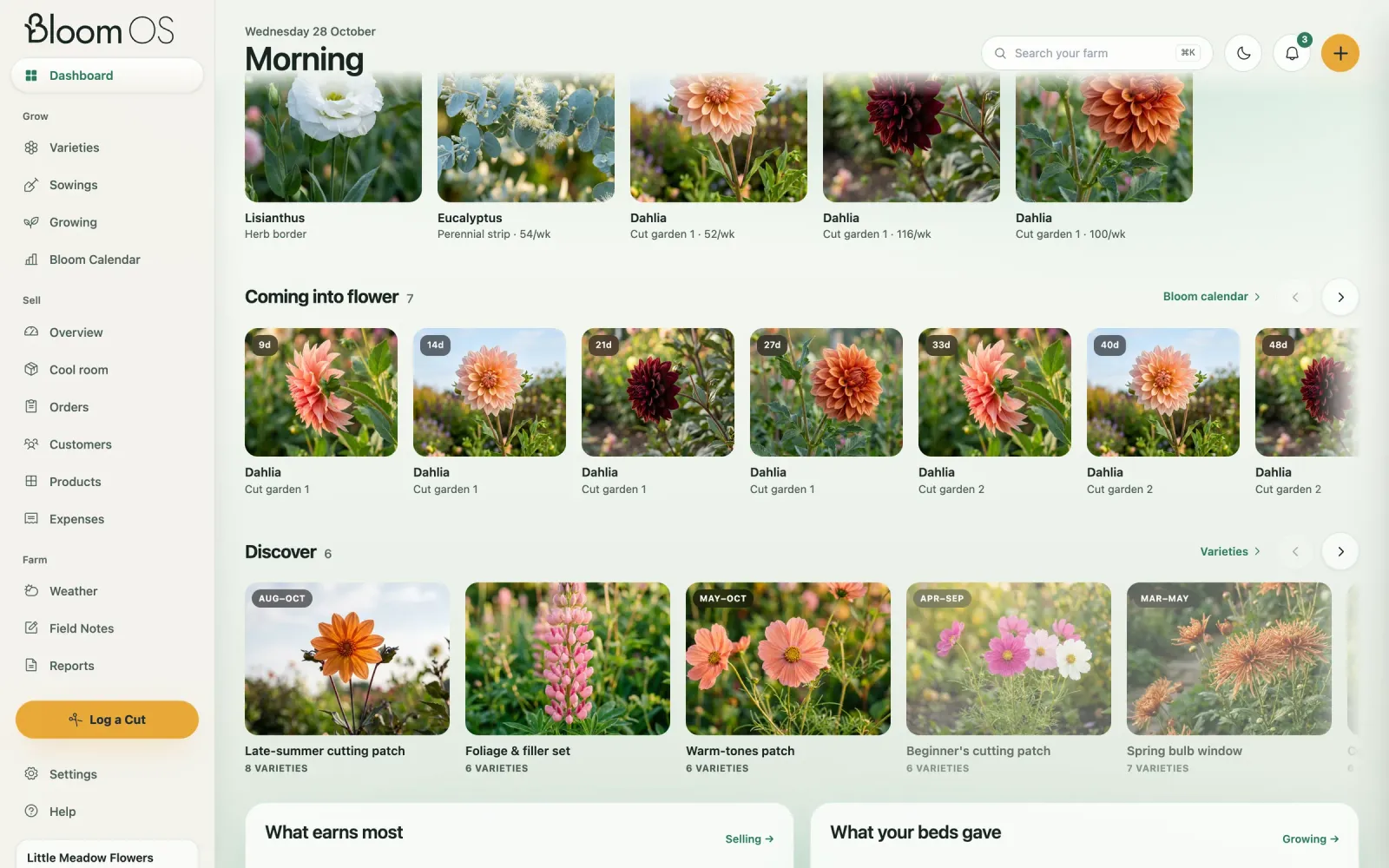
The plantings in their cutting window now, with how long each one has left, then everything due to flower in the next few weeks. Click a ready crop and Log a cut opens with it already chosen.
Plan
Every one of 3,000+ varieties opens on a page of its own: its colour, stem length, vase life, when it flowers and what it's for in a bouquet. Press Add to a bed, tap the bed it's going in, and it's planted.
Bloom calendar
Every planting from sowing to the last cut, by season or by bed. The weeks with nothing to cut are picked out, so you can fill the gaps before they happen, not in the middle of July.
The 3D farm map
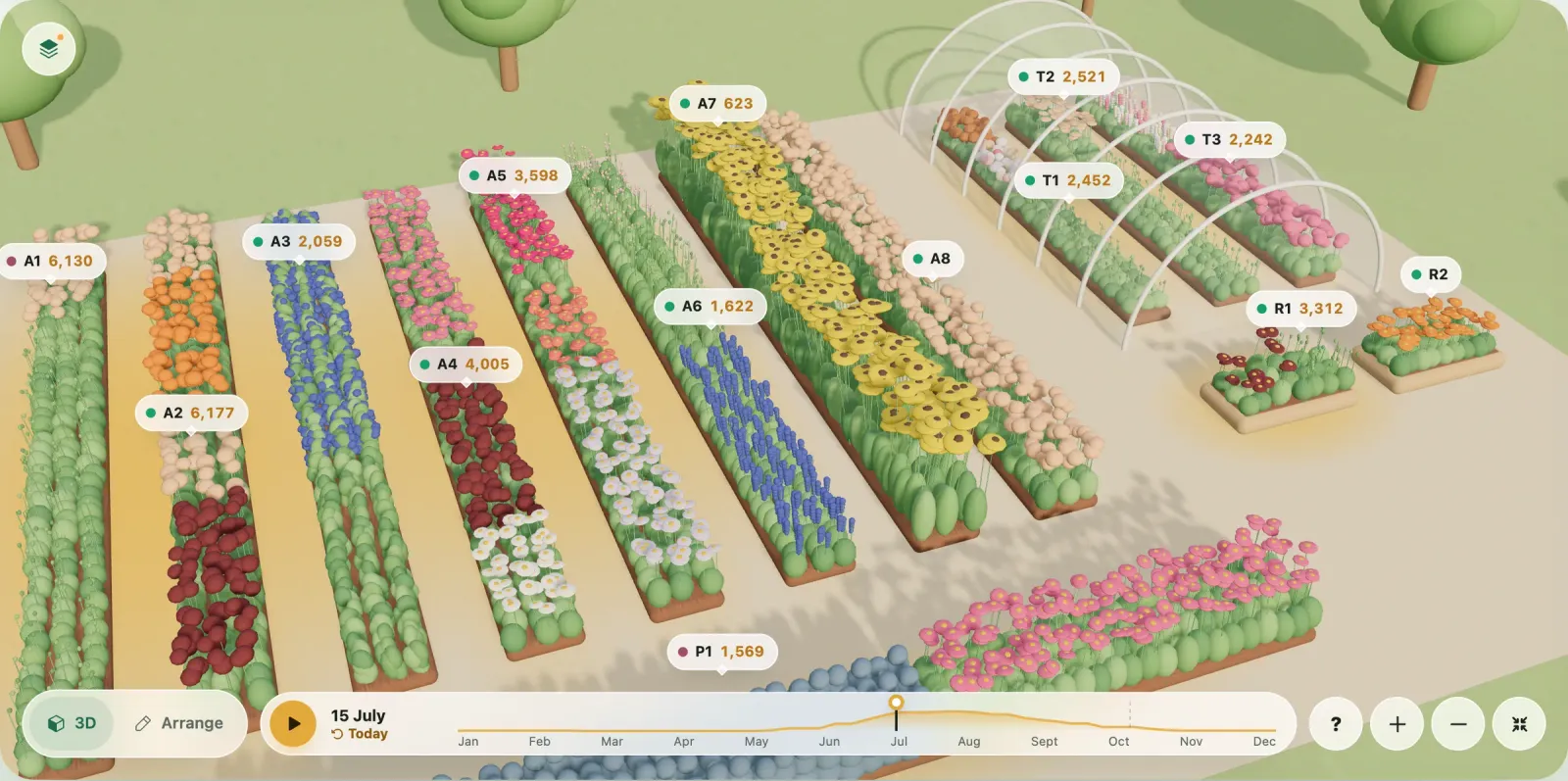
Every bed, tunnel and crop on one living map. Nothing to draw before you start: your beds are laid out for you.
The season
Play the year and the farm grows: bare and mulched in winter, sown in spring, colour through the summer, cut back in autumn. Every crop is drawn at the stage it's at, coloured like the flowers in it. Pick a month to stop it there.
Arrange
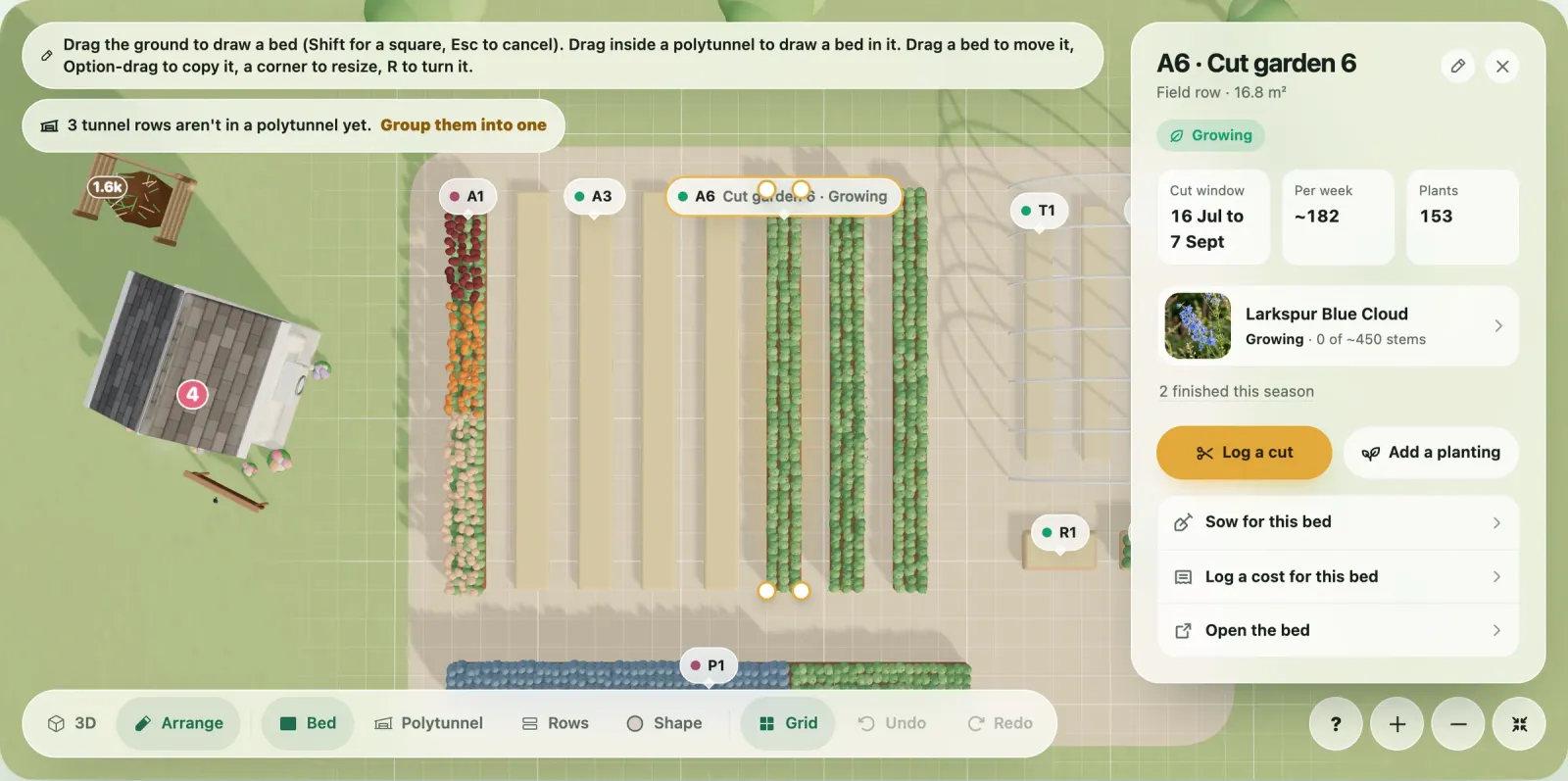
Arrange mode is a drawing board for the farm. Drag to draw a bed, hold Shift for a square, Option-drag to copy one, drag a corner to resize and press R to turn it. Circles, hexagons, arcs and more, polytunnels with rows inside, and undo when you change your mind.
Layers
Lay your records over the beds: stems cut, sales, profit after the costs logged against each bed, and waste. Tap a bed to log a cut, add a planting or plan a sowing.
Frost and waste
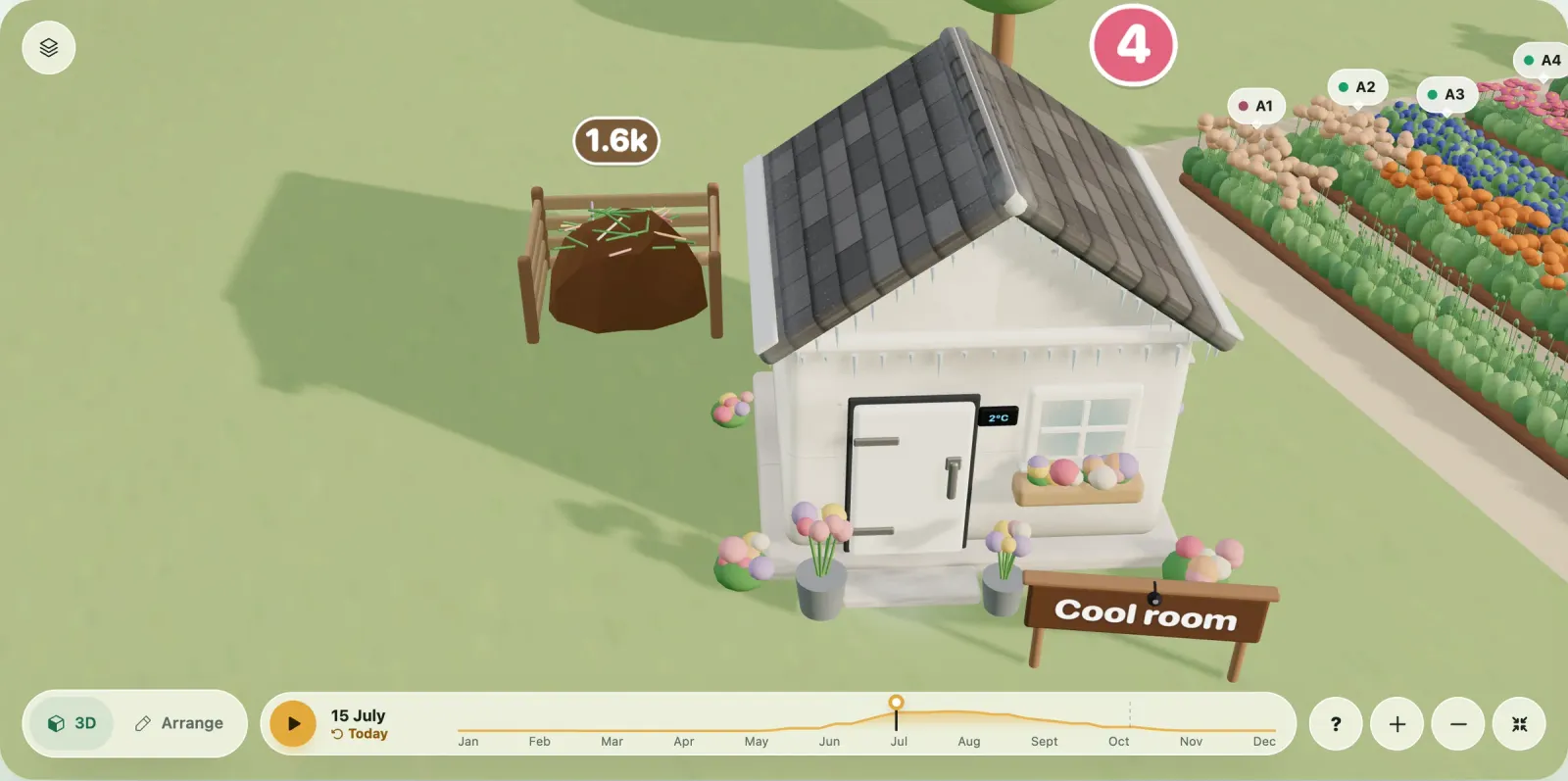
The cool room sits on the map with a count of what's in it, and the compost heap fills with the stems you've binned this season. When a frost is forecast, the map lists the open beds it will catch.
Sell
The cut you log at the bed carries on into stock, orders, invoices and the season's takings.
Selling
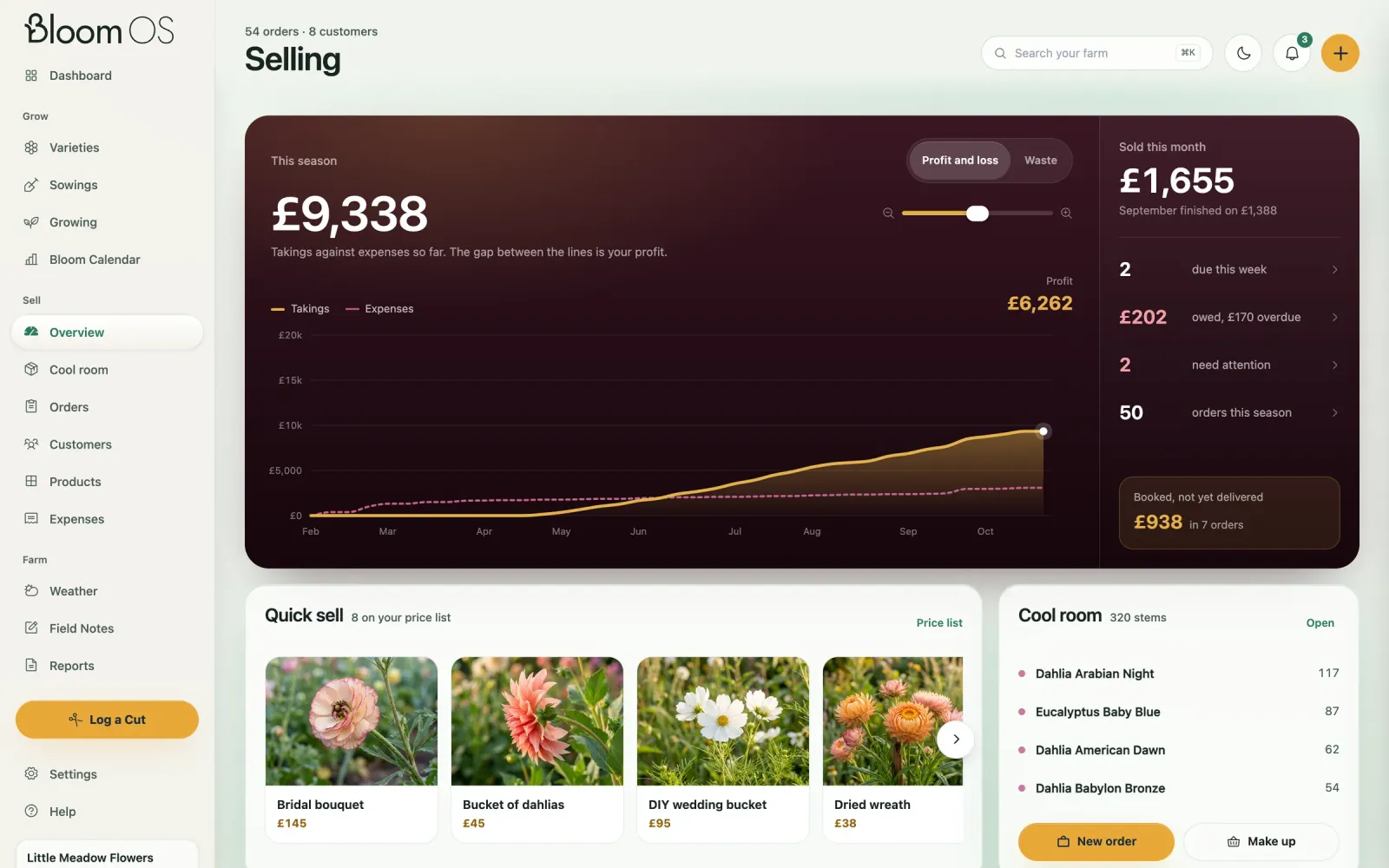
Selling opens on the season's takings against its expenses, with the gap between the lines as your profit. Next to it: what's due this week, who owes you and what needs attention.
Orders
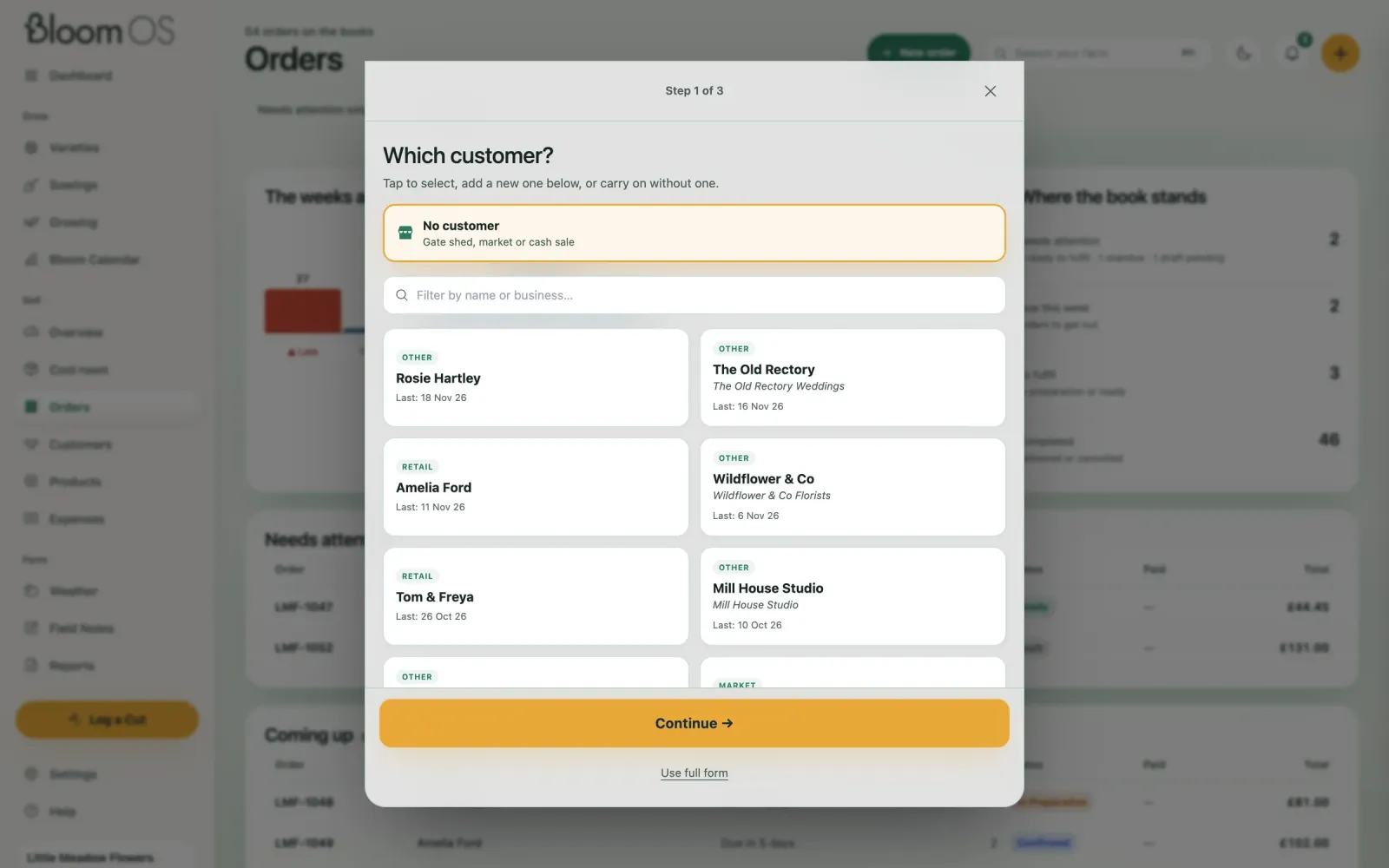
Pick the customer, add products or loose stems, set the date. Orders become PDF invoices with your logo, delivery notes and a packing list for the van, and on the Farm plan invoices sync to Xero.
Products and subscriptions
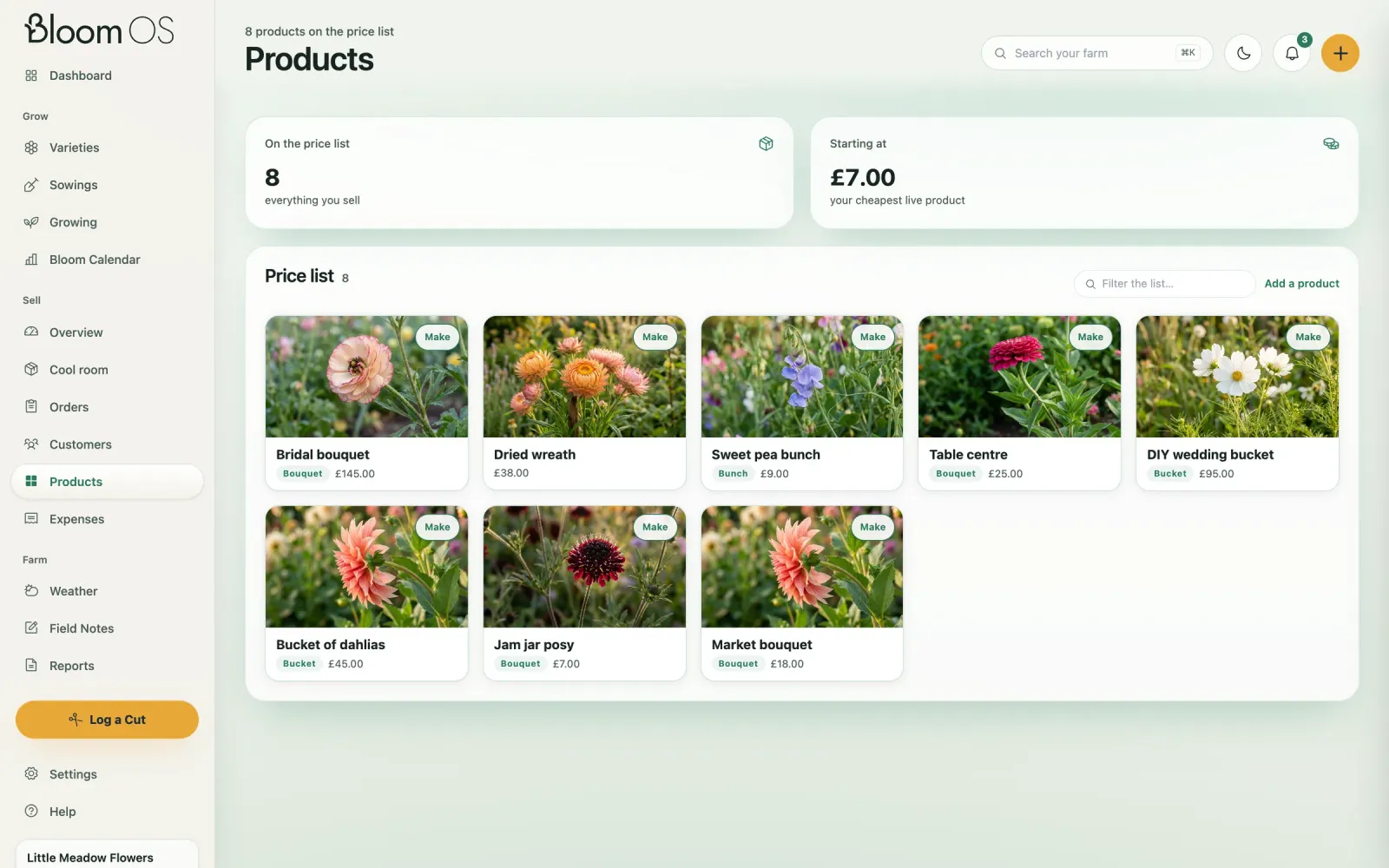
Bouquets, buckets and wreaths written down as recipes, so every one knows what goes in it and what it sells for. Bouquet subscriptions, weekly, fortnightly or monthly, turn into orders on their own.
Cool room
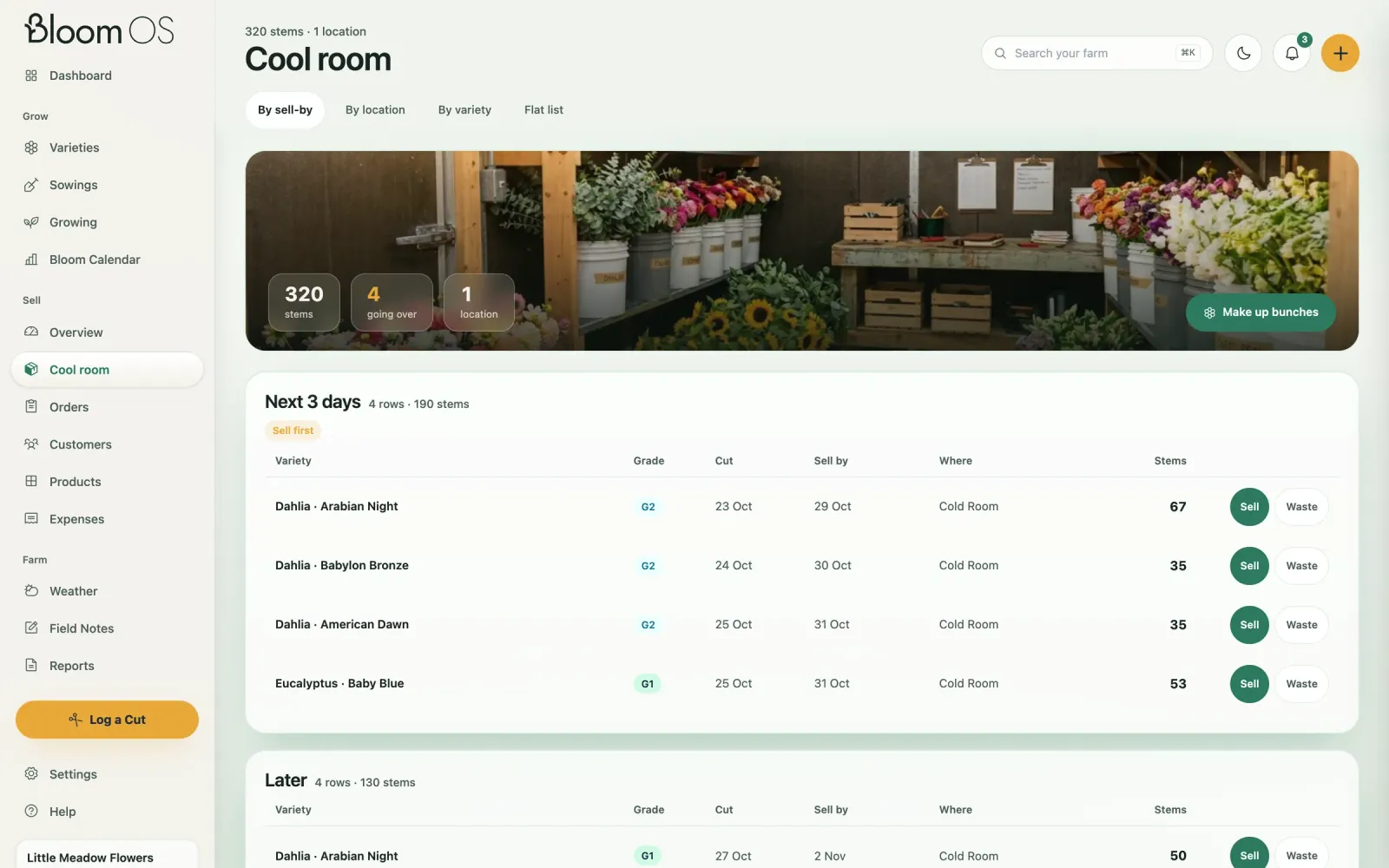
Every cut lands in stock with its grade and sell-by date. Sell first what's going over, mark waste in a click, and make up bunches from what you have.
Search
Press ⌘K (Ctrl+K on a PC) and start typing. Varieties, products, orders, customers, weather and field notes come back in one list, and Return takes you there.
And everything else
The parts you only notice when they're missing.
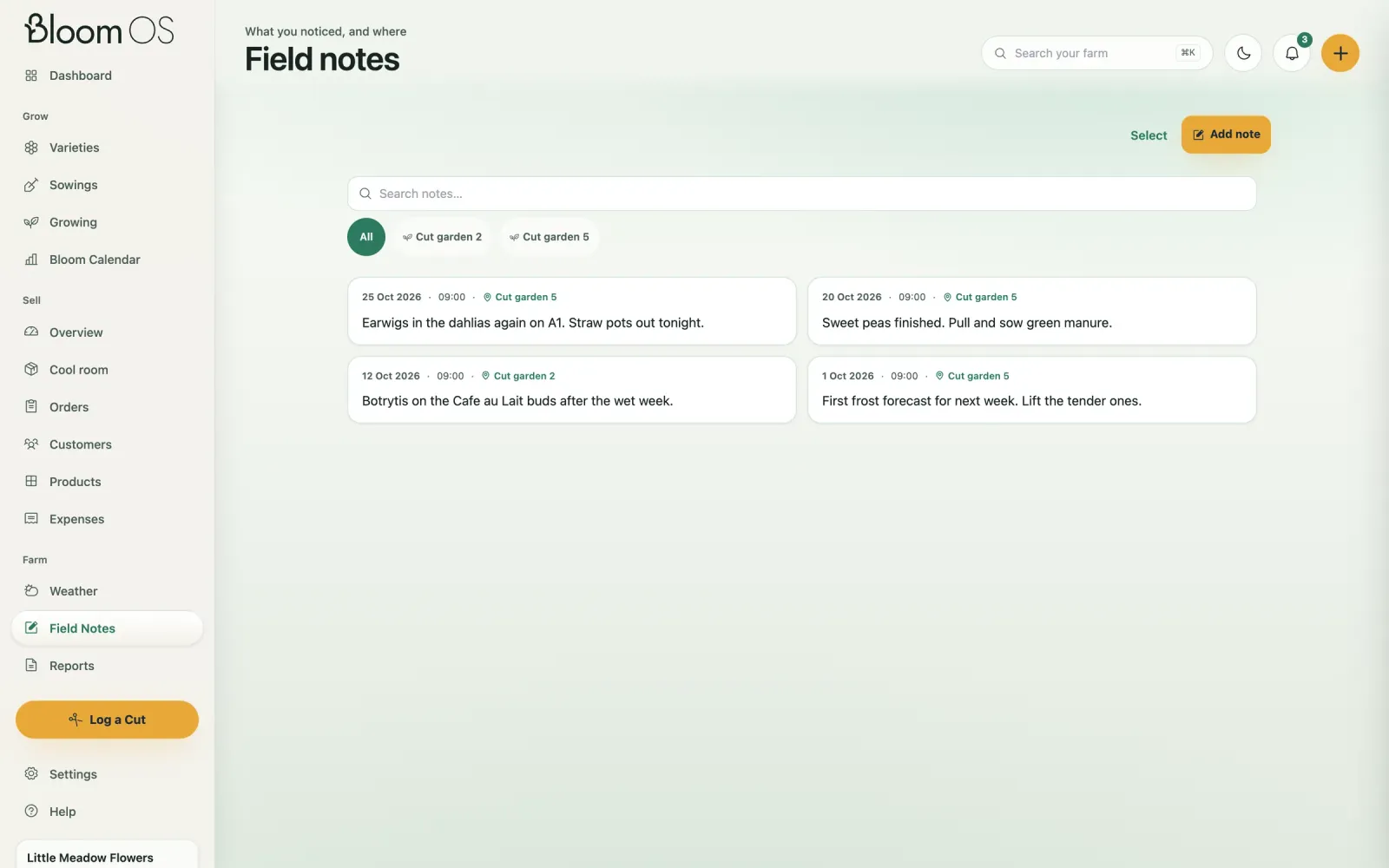 Field notes, where they happened.Write what you noticed and tag the bed: earwigs in the dahlias, botrytis after a wet week, sweet peas finished. Search them later, when the same thing happens next year.
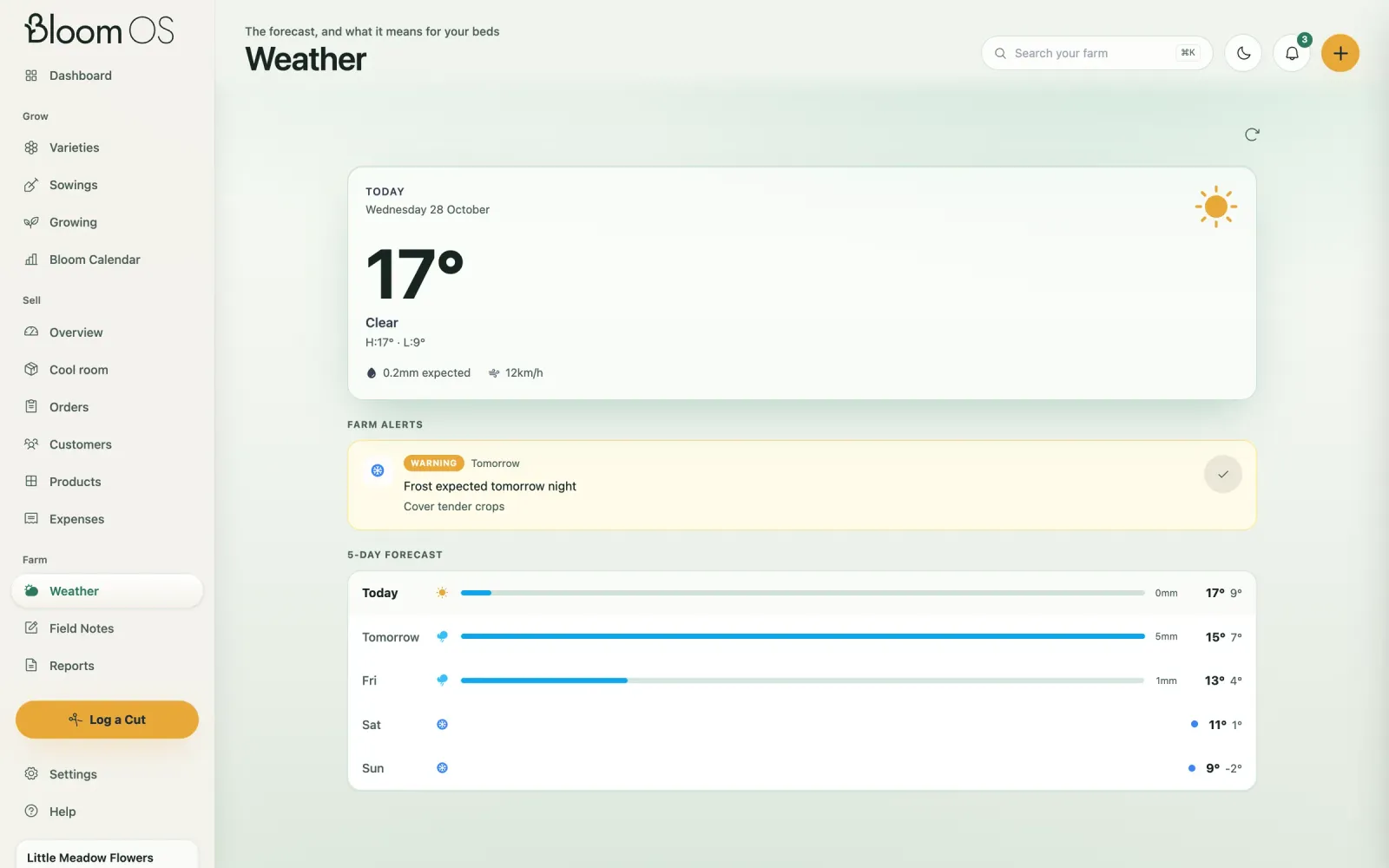 A forecast that knows your beds.Five days of weather for your farm, and alerts for frost, hard frost, heat and heavy rain at the thresholds you set.
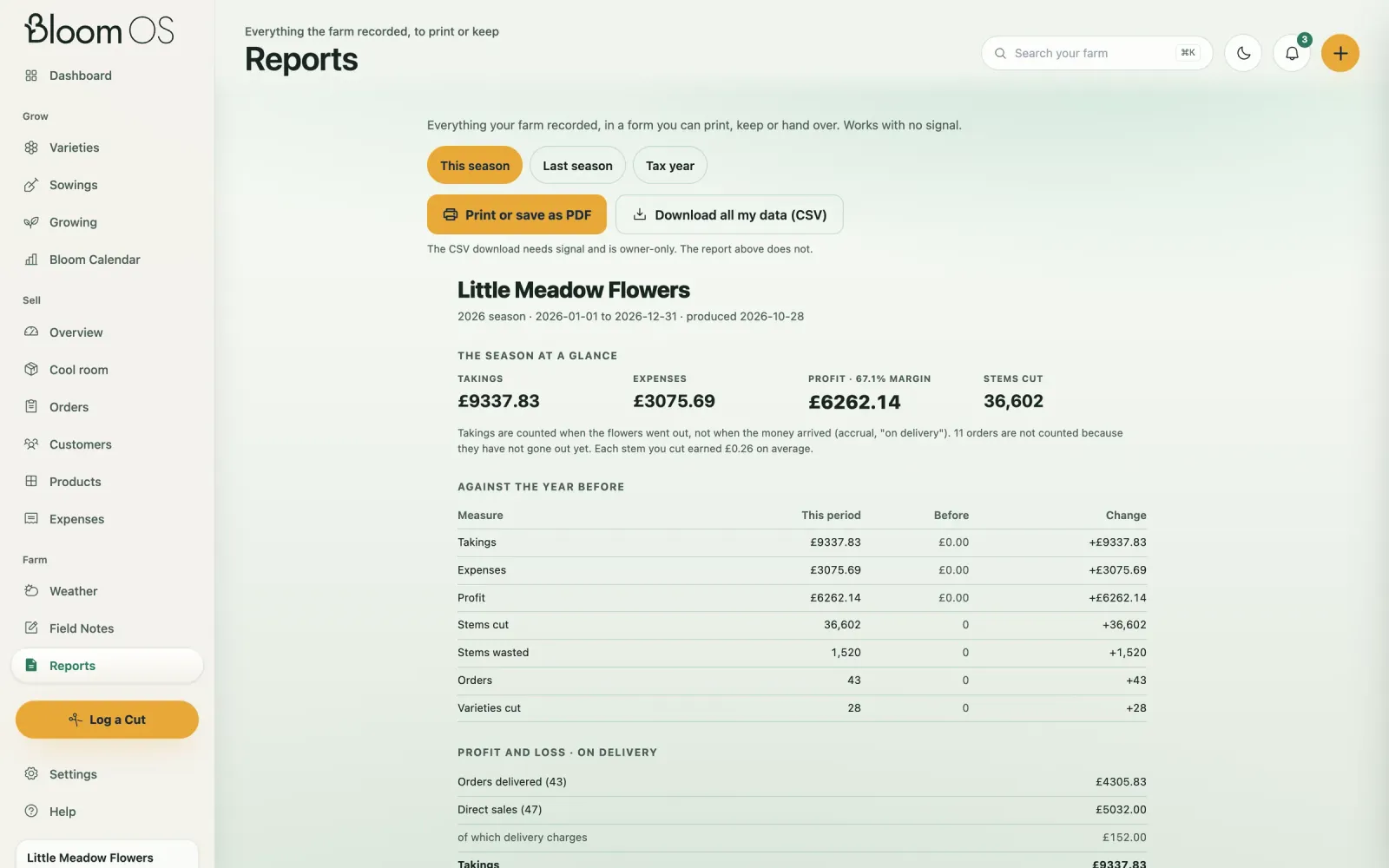 Reports you can print or keep.The season at a glance, against the year before: takings, expenses, profit, stems cut and wasted. Print it, save it as a PDF, or download all your data as spreadsheet files.
Tips
From anywhere in BloomOS. Ctrl+K on a PC.
Only get to the computer after work? Set the map's light to morning in the layers menu.
In Arrange: Shift for a square, Option-drag to copy, R to turn, Esc to cancel.
Cuts logged at the bed are on the desktop by the time you sit down.
Big farm? Fields give each part of it a map of its own.
Delivery notes and a packing list come straight from your orders.
Questions
No. BloomOS runs in your browser on a Mac or PC: sign in at app.bloomos.app and your farm is there.
It's the same farm and the same records, laid out for a bigger screen. Anything you log on your phone shows on the desktop, and the other way round.
No. Your existing beds are laid out for you, and you can move, resize and reshape them to match the real farm whenever you like.
If the connection drops, what you log is kept and syncs when you're back online.
There's a free plan for good, with no card, and paid plans when the farm grows. See the pricing page for what each plan includes.
Start free in a couple of minutes. No card, no contract.
Try now for FREE Cosmos
 Zinnia